Celestial navigation and dead reckoning, in one piece of software.
Astra Vela Pro computes your ephemerides, reduces sextant sights into lines of position, plots your route and handles tides — entirely offline, on your own computer. A modern calculation aid for anyone who still practices the astronomical fix.
⚠ A calculation and training aid, not certified for regulatory navigation.
The software in a few minutes
A narrated walkthrough — English voice, no background music.
The full workflow, from dead reckoning to the observed fix
Each tab in the software covers one step of the work at the chart table. Here, in order, is what Astra Vela Pro does.
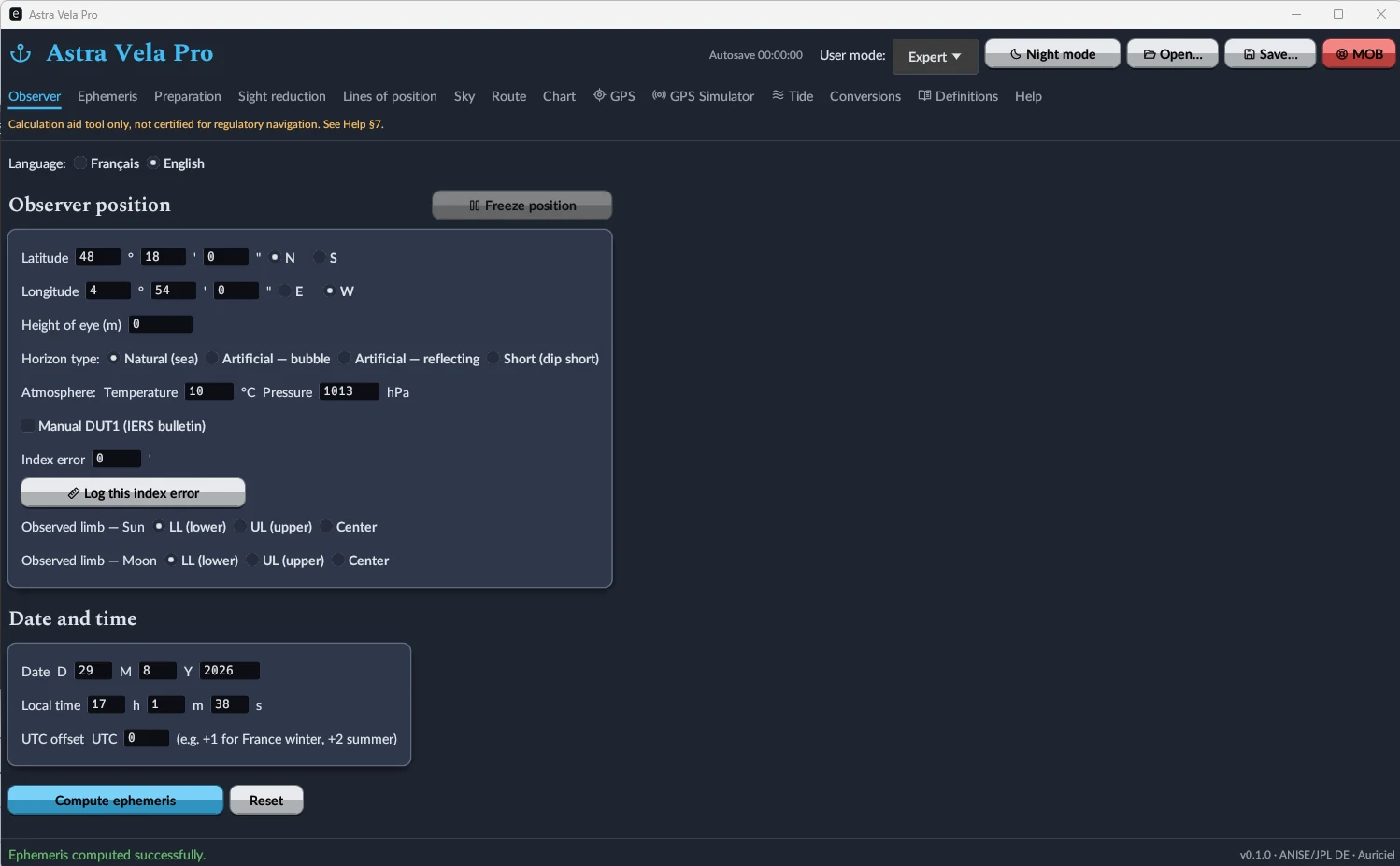
Position, date, and observation settings
Latitude, longitude, height of eye, horizon type (natural, artificial bubble or reflecting, dip short), temperature and pressure correction, index error, limb observed for the Sun and Moon. Position can be frozen, and UTC date/time entered with a local offset.
Three interface levels (including "Expert", shown here) adjust the density of the fields displayed to your level of practice.
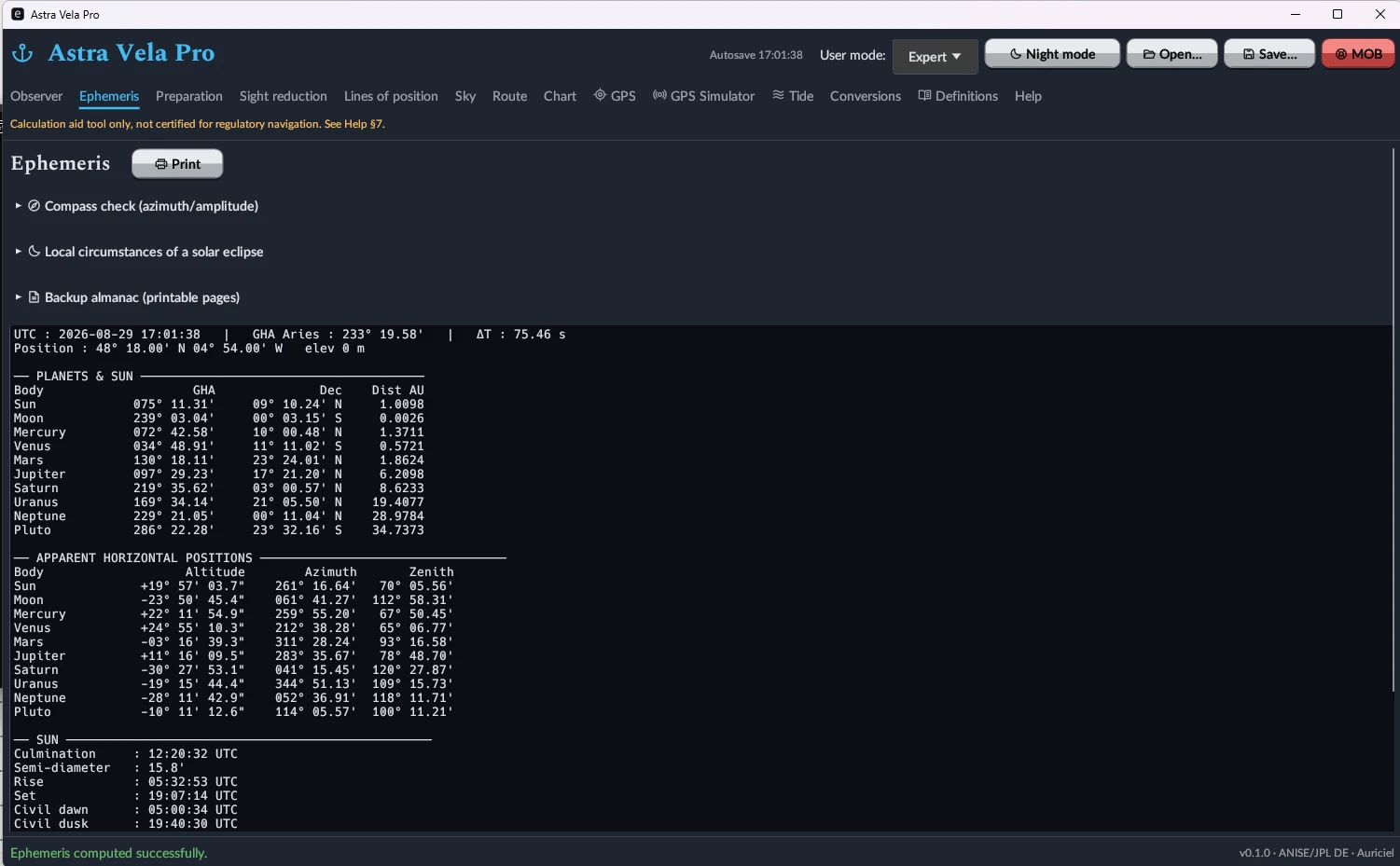
GHA, declination and altitude for every body, at any instant
Sun, Moon, all eight planets and the First Point of Aries (GHA Aries) computed simultaneously, with apparent horizontal positions (altitude, azimuth, zenith distance). Sunrise, sunset, meridian passage, civil dawn and dusk computed for the entered position. Compass check by azimuth/amplitude and local circumstances of a solar eclipse are included.
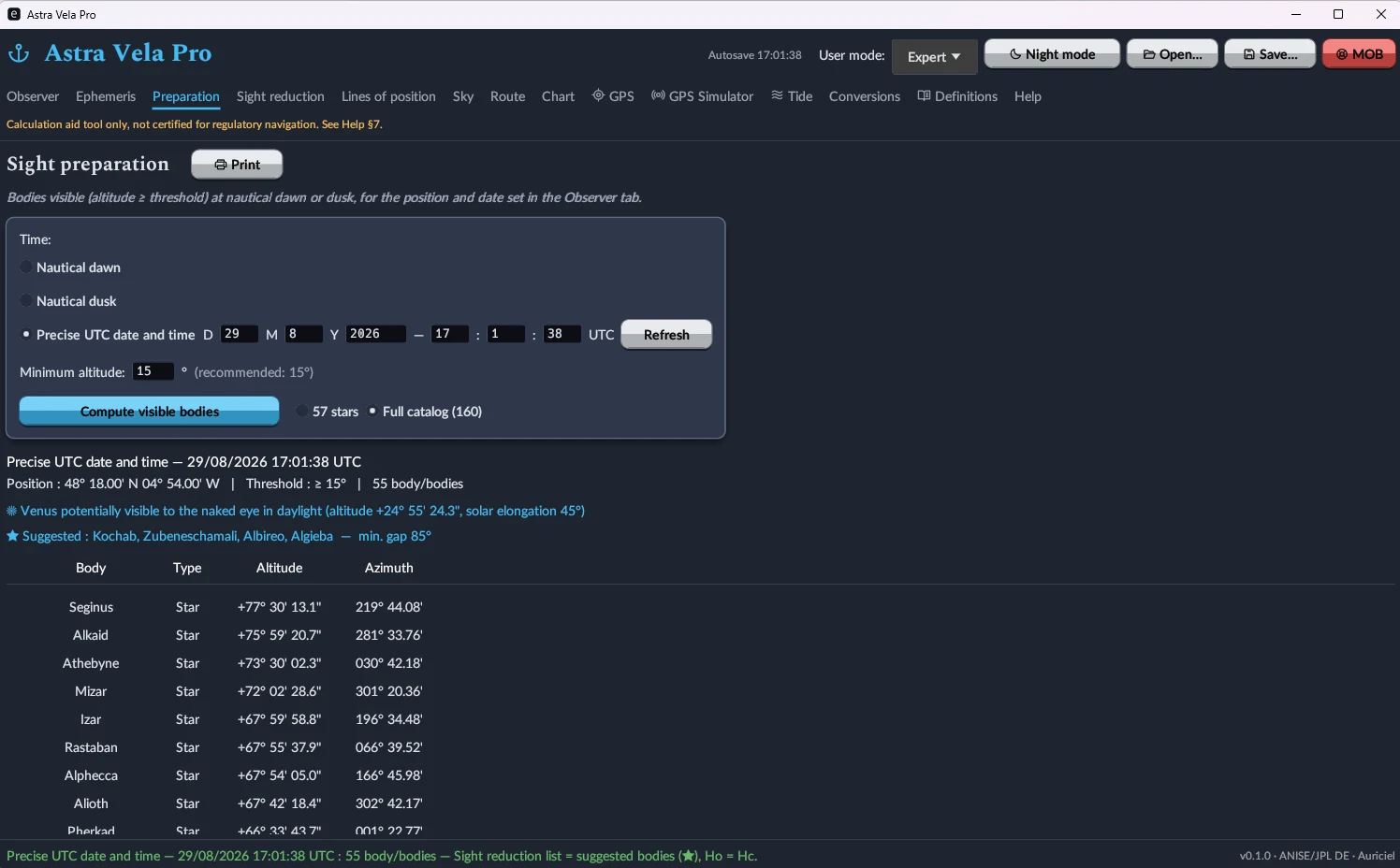
Which bodies to shoot, and when
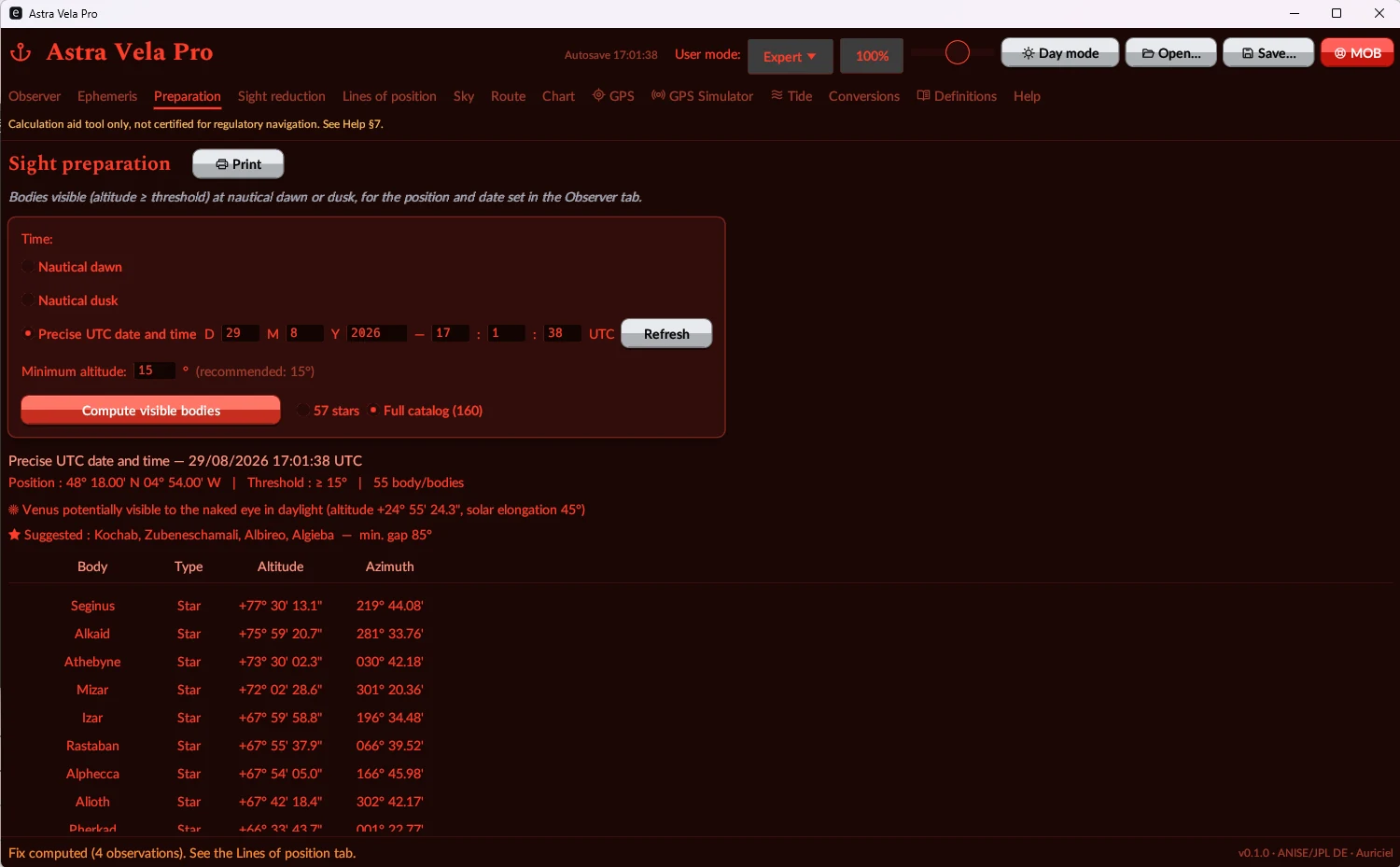
At nautical dawn or dusk — or at any given time — the software lists every body above a minimum altitude, with altitude and azimuth computed, and suggests a set of 3 to 4 well-spread bodies for a robust fix (plus a warning when Venus is visible to the naked eye in broad daylight).
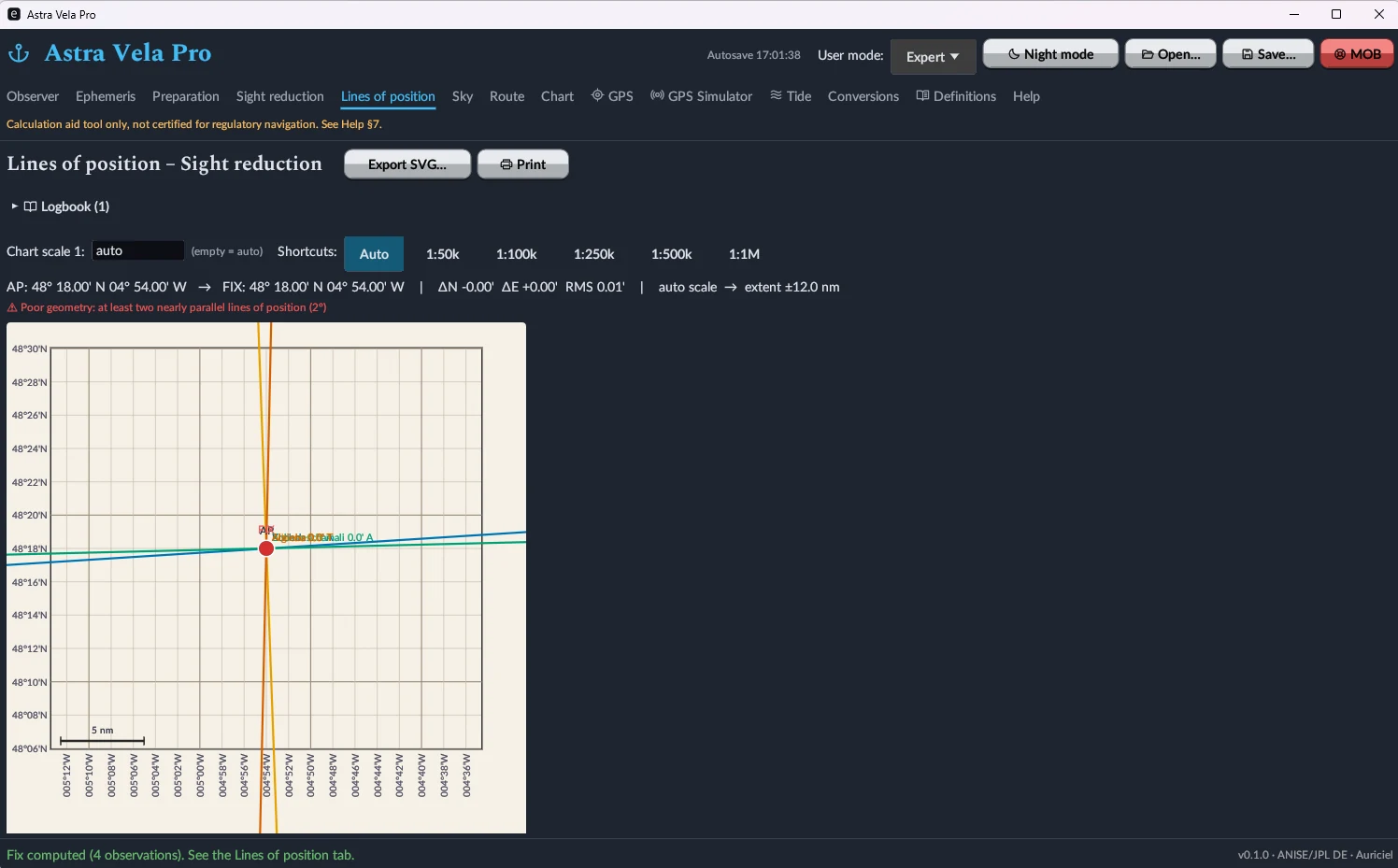
From sextant altitude to a fix plotted on the chart
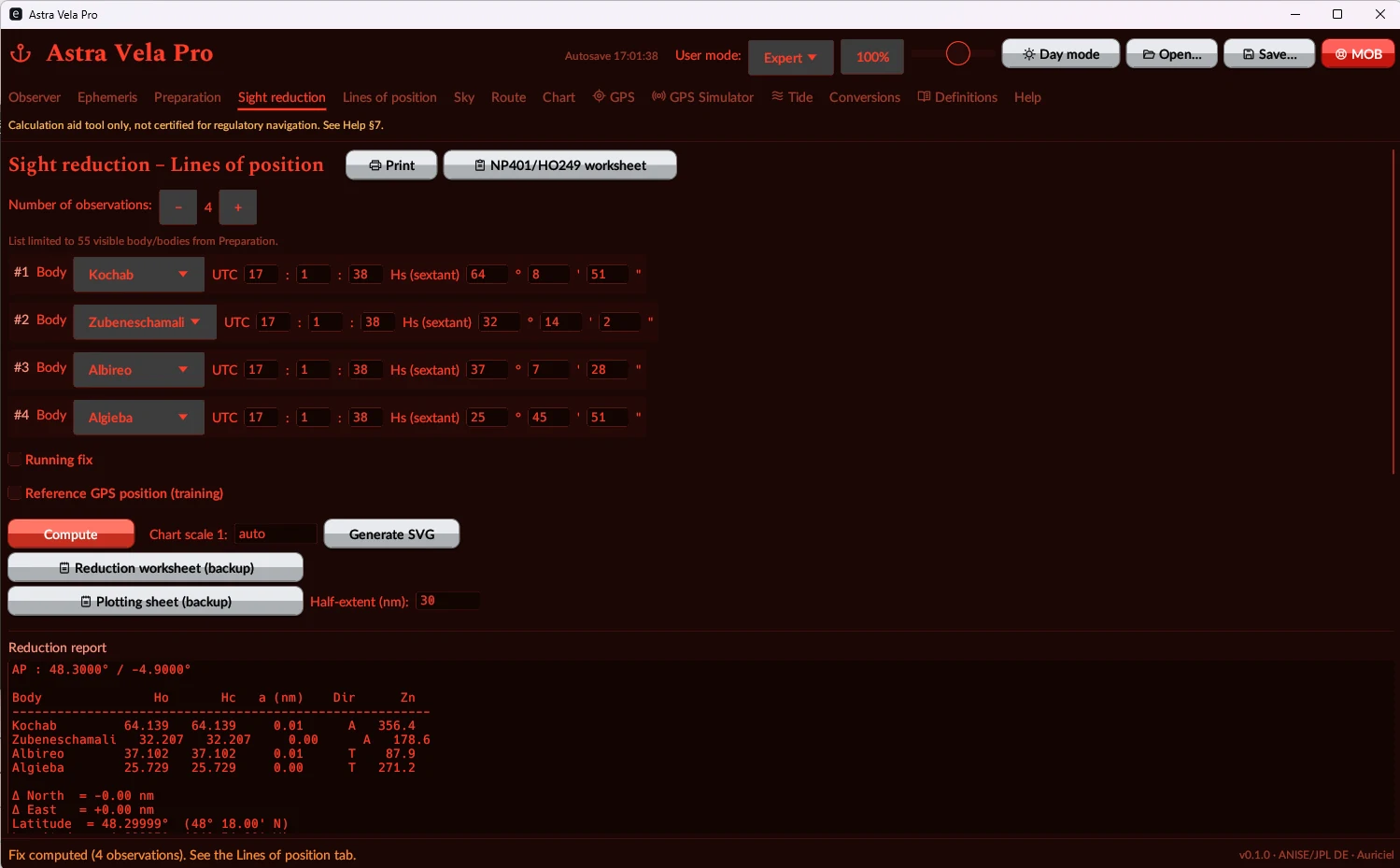
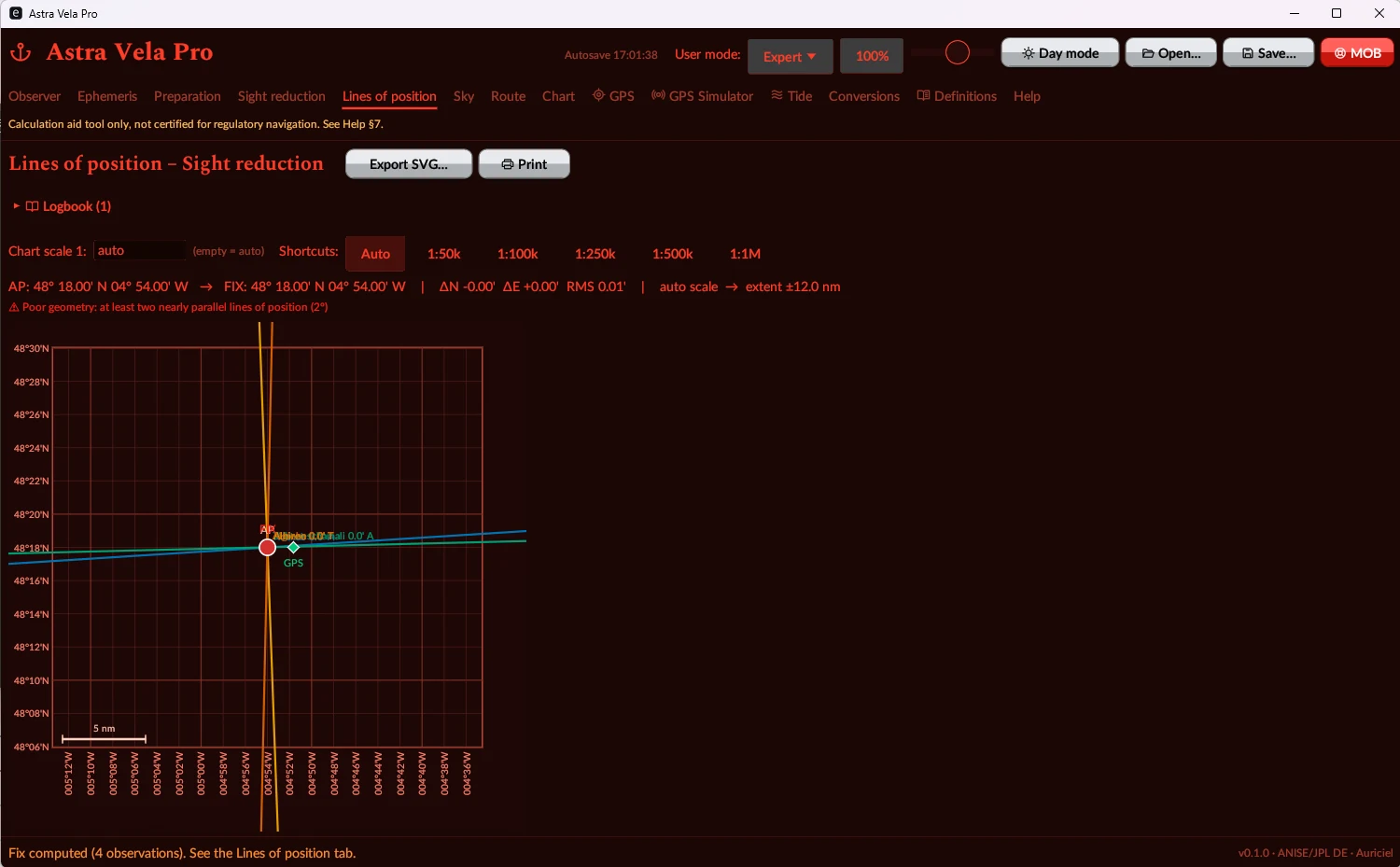
Enter up to 4 observations (body, UTC time, sextant altitude): the program computes the calculated altitude, the intercept and the azimuth for each line of position, solves the fix by least squares, reports the RMS residual, and plots the lines on a chart with automatic or fixed scale — with an automatic warning when the geometry is degraded (lines too nearly parallel). Running fix and running fix by bearings are also available, along with an NP401/HO249 reduction worksheet and SVG export.
Identify a body at a glance
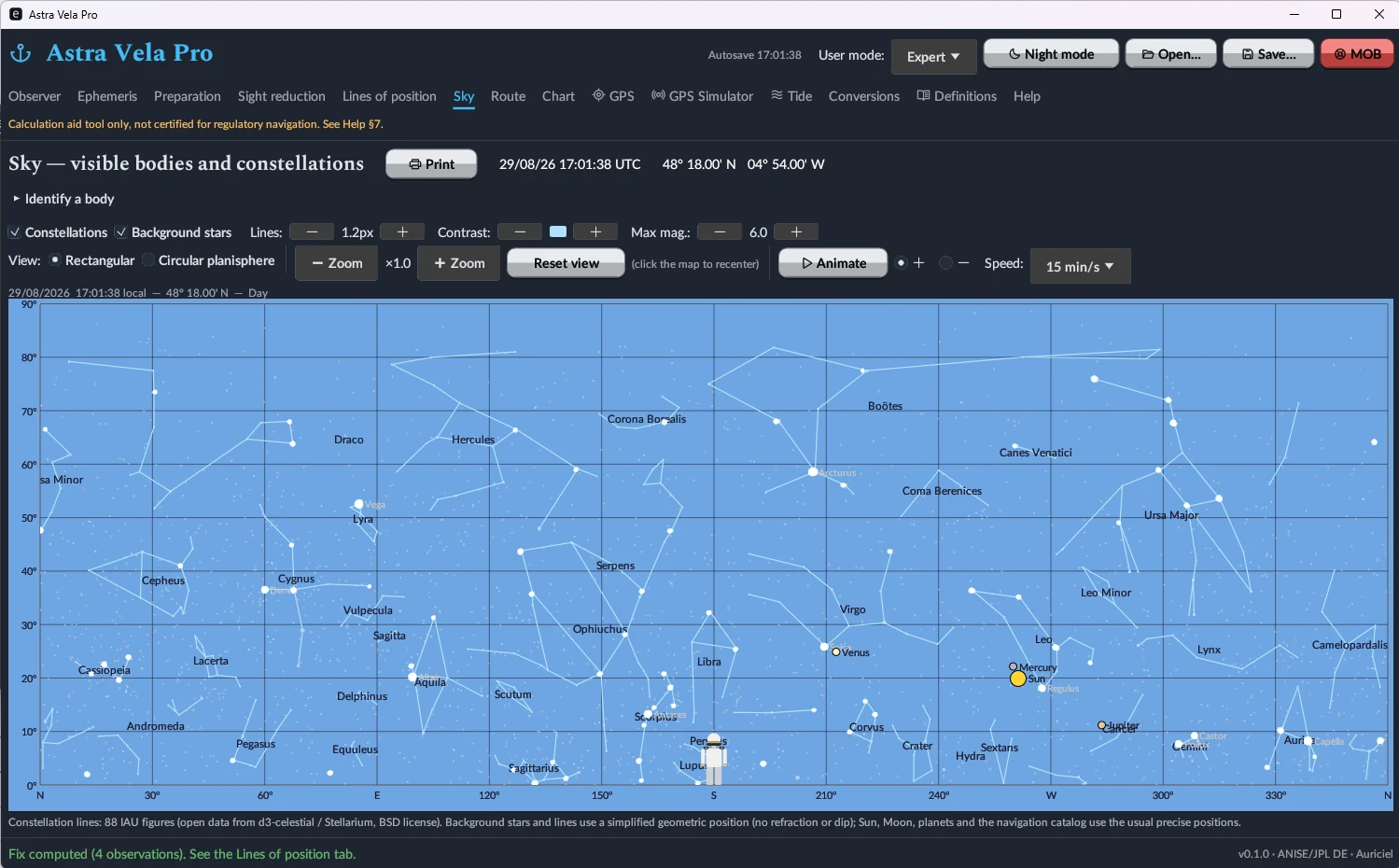
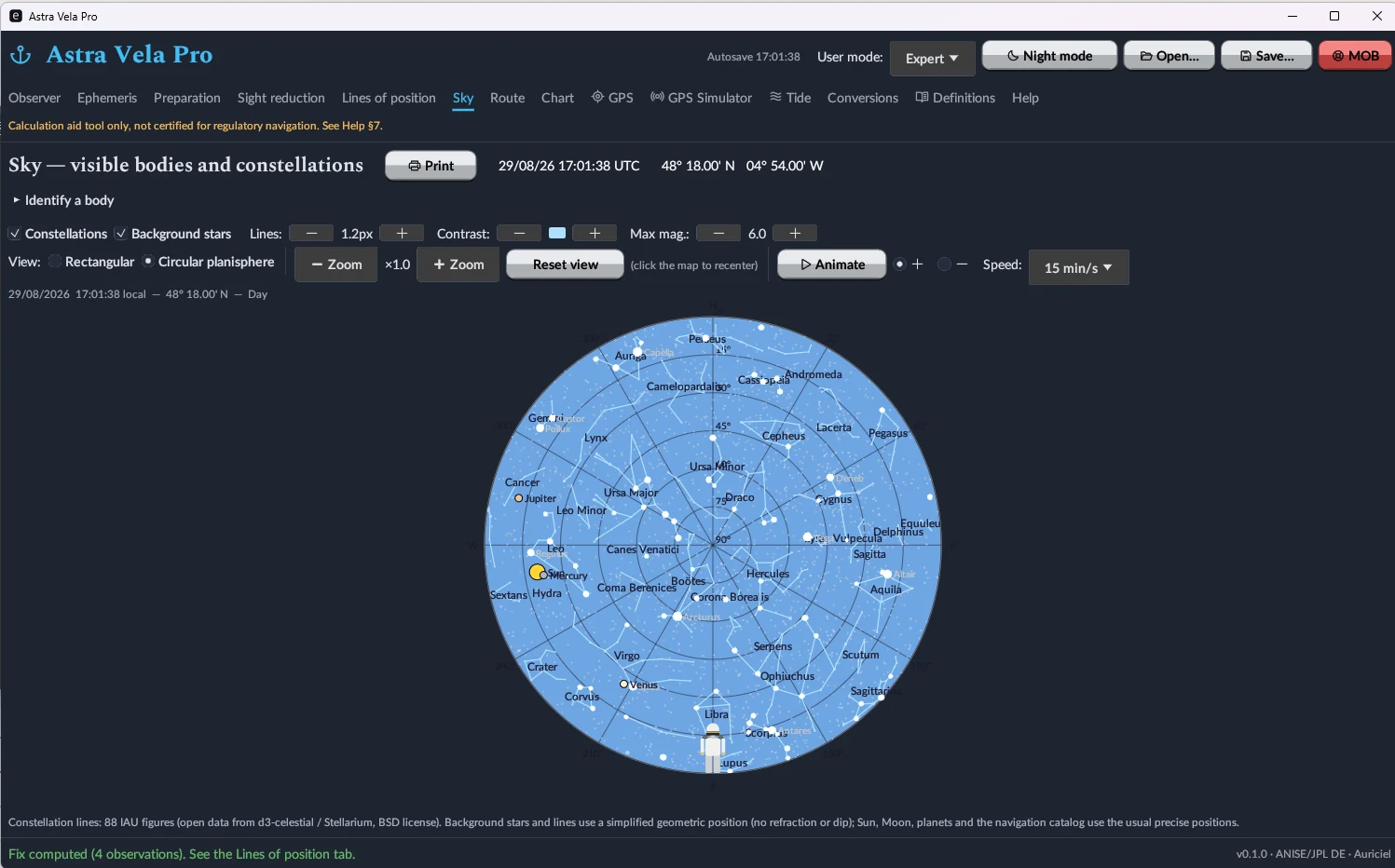
Rectangular sky chart or circular planisphere, with all 88 constellations plotted (IAU figures, d3-celestial/Stellarium data under a BSD licence), background stars, Sun/Moon/planets positioned live, time animation of the sky, and a tool to identify a body from its coordinates.
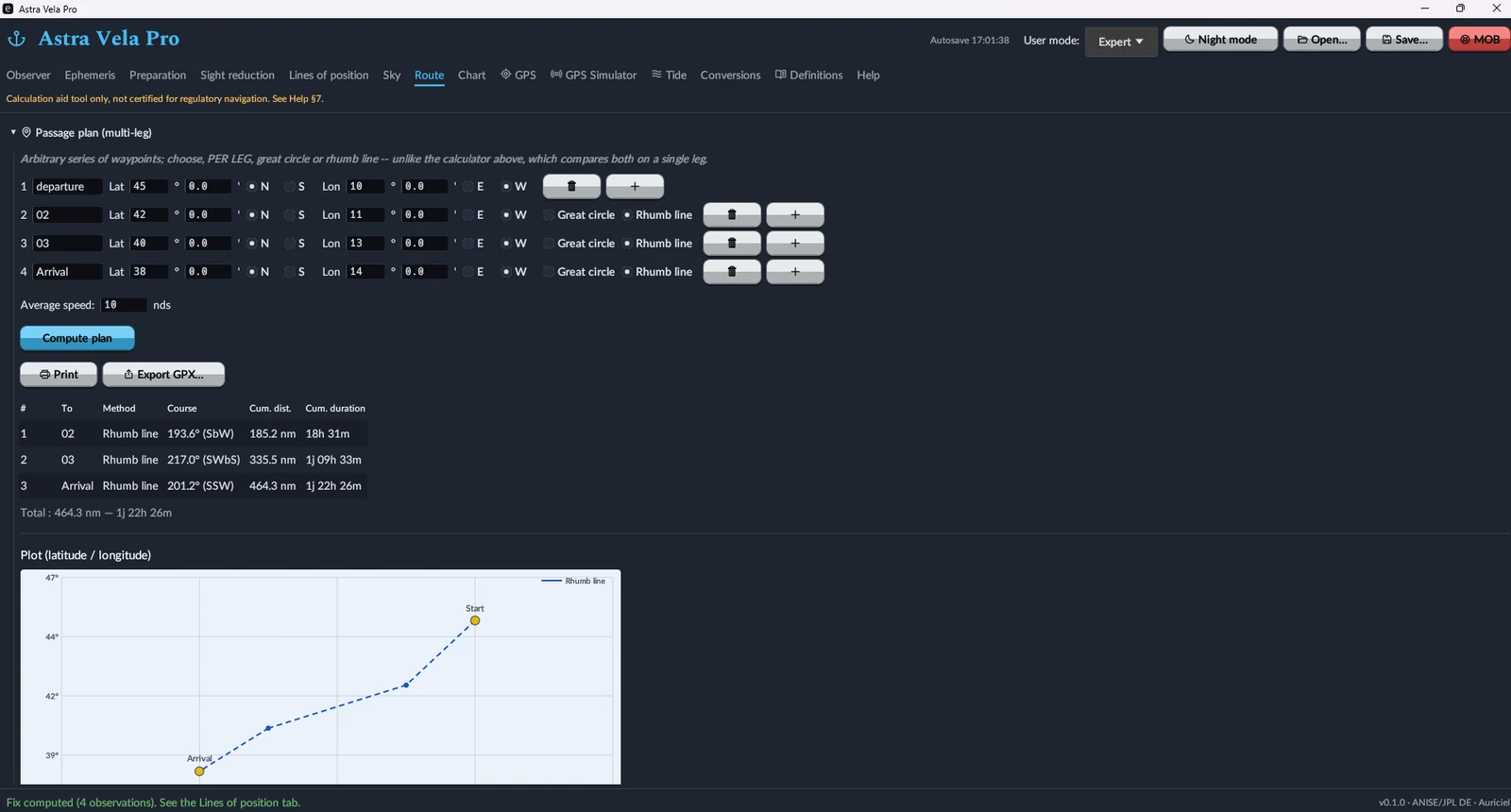
Plan a route, see it on the chart
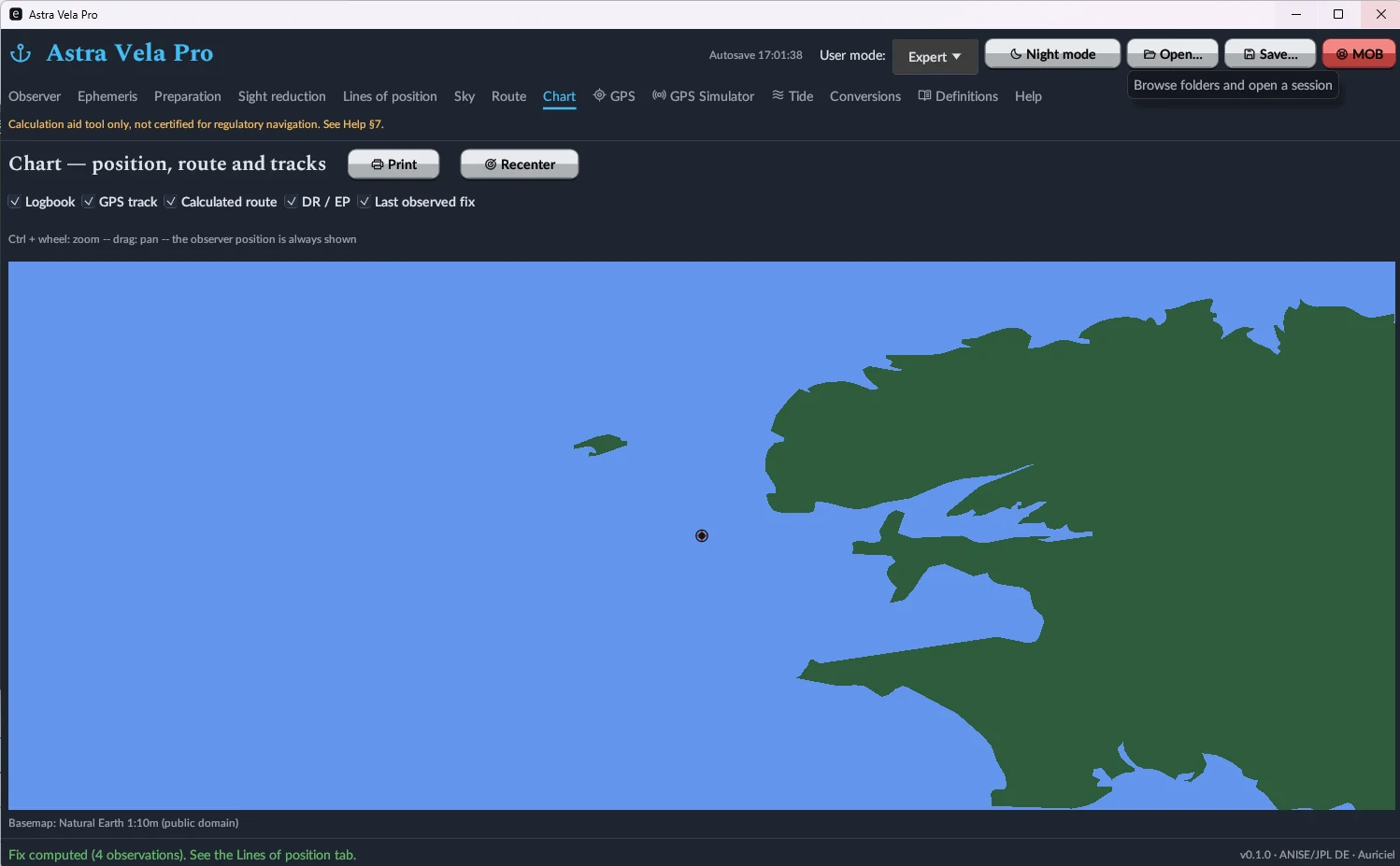
Multi-leg route planning, leg by leg, in great-circle or rhumb-line, with course, cumulative distance and estimated duration at the entered average speed; GPX export. The Map tab overlays current position, GPS track, calculated route, dead-reckoning position and last observed fix on a worldwide Natural Earth basemap.
Plug into your onboard electronics
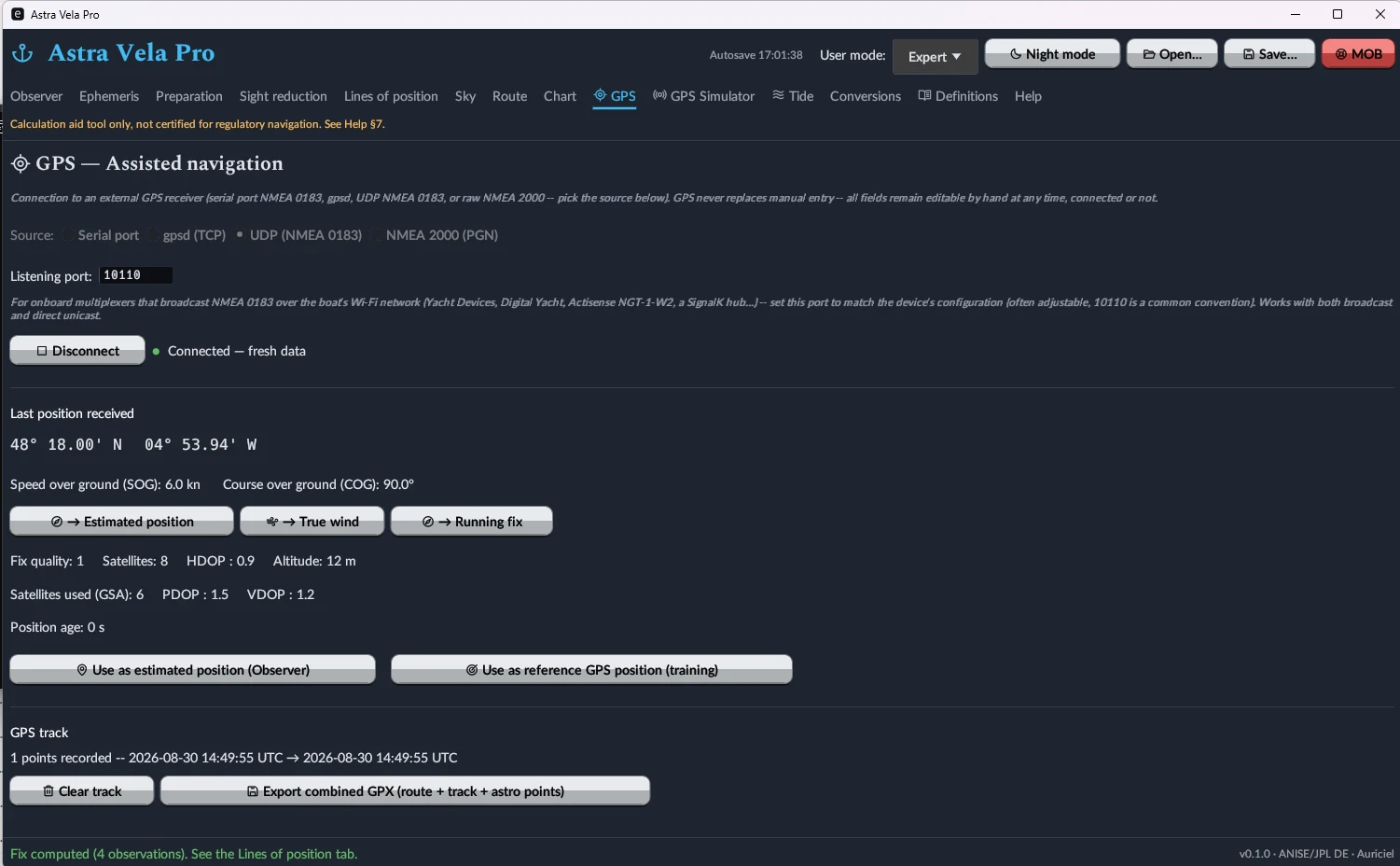
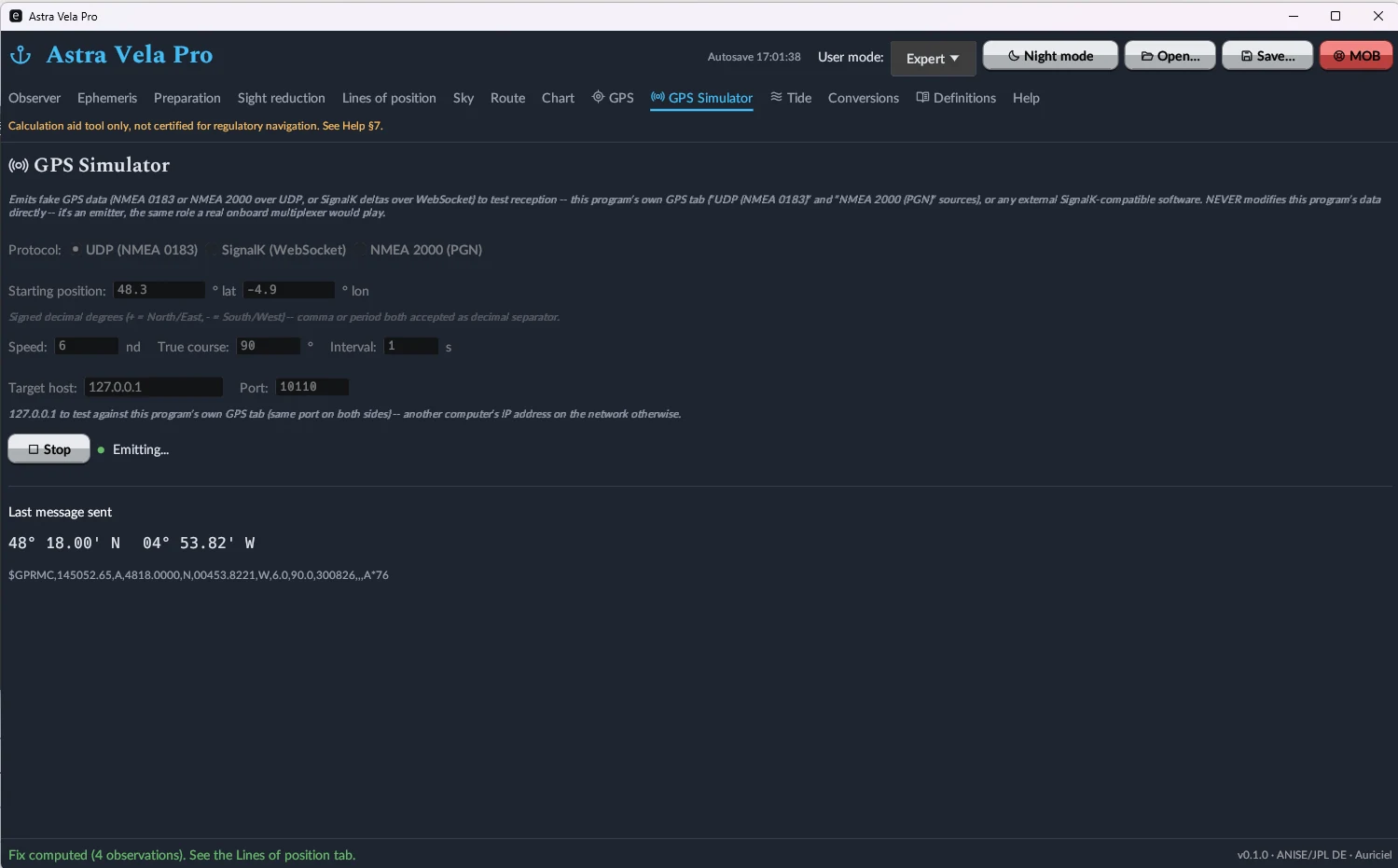
Live GPS reception over serial port (NMEA 0183), UDP network (NMEA 0183 multiplexer), NMEA 2000 (fast-packet frames) or SignalK/WebSocket, with direct position capture in the Observer tab. A built-in GPS simulator can emit these same protocols to test reception, with no hardware required.
Worldwide tide prediction, fully offline
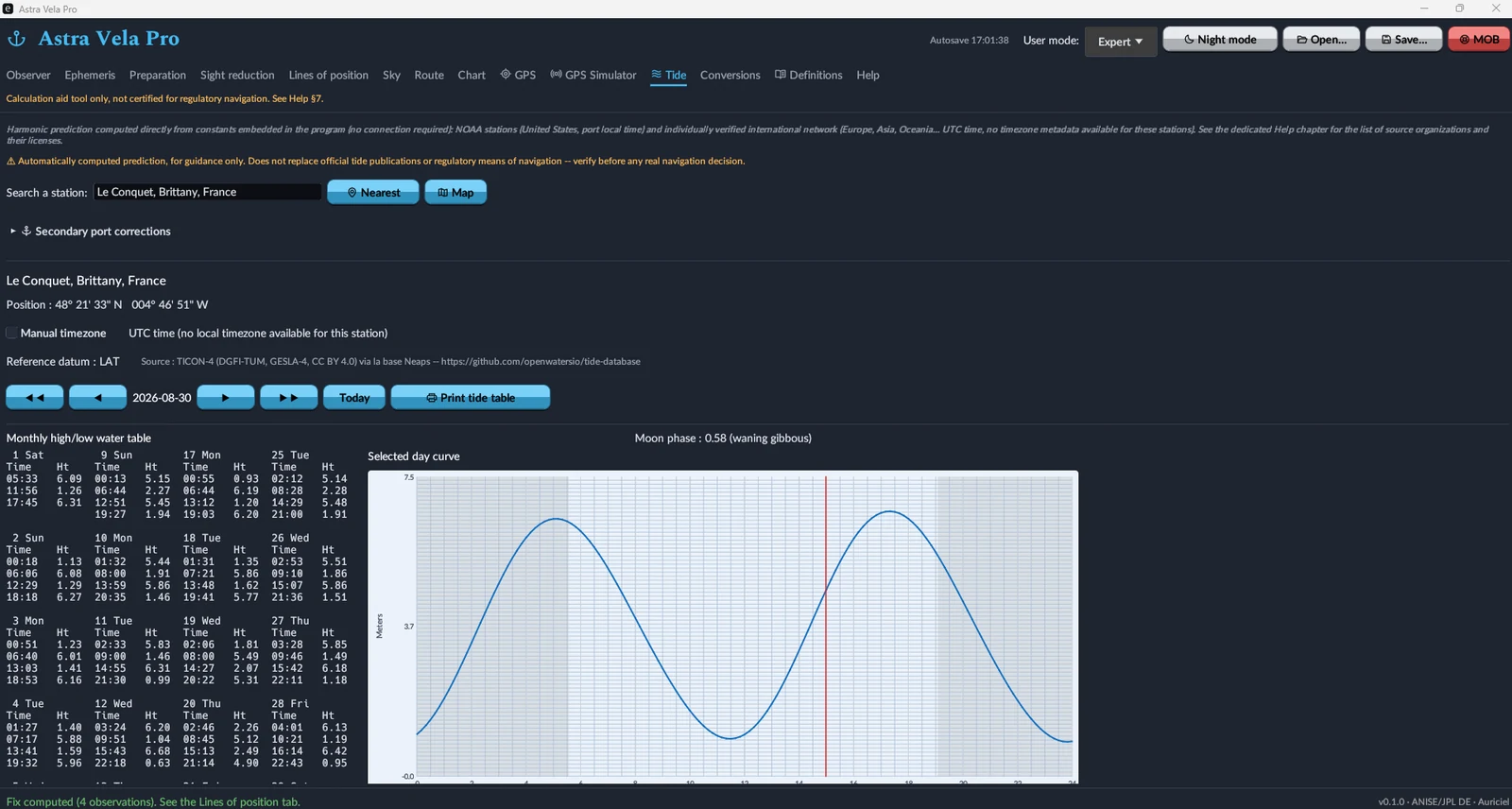
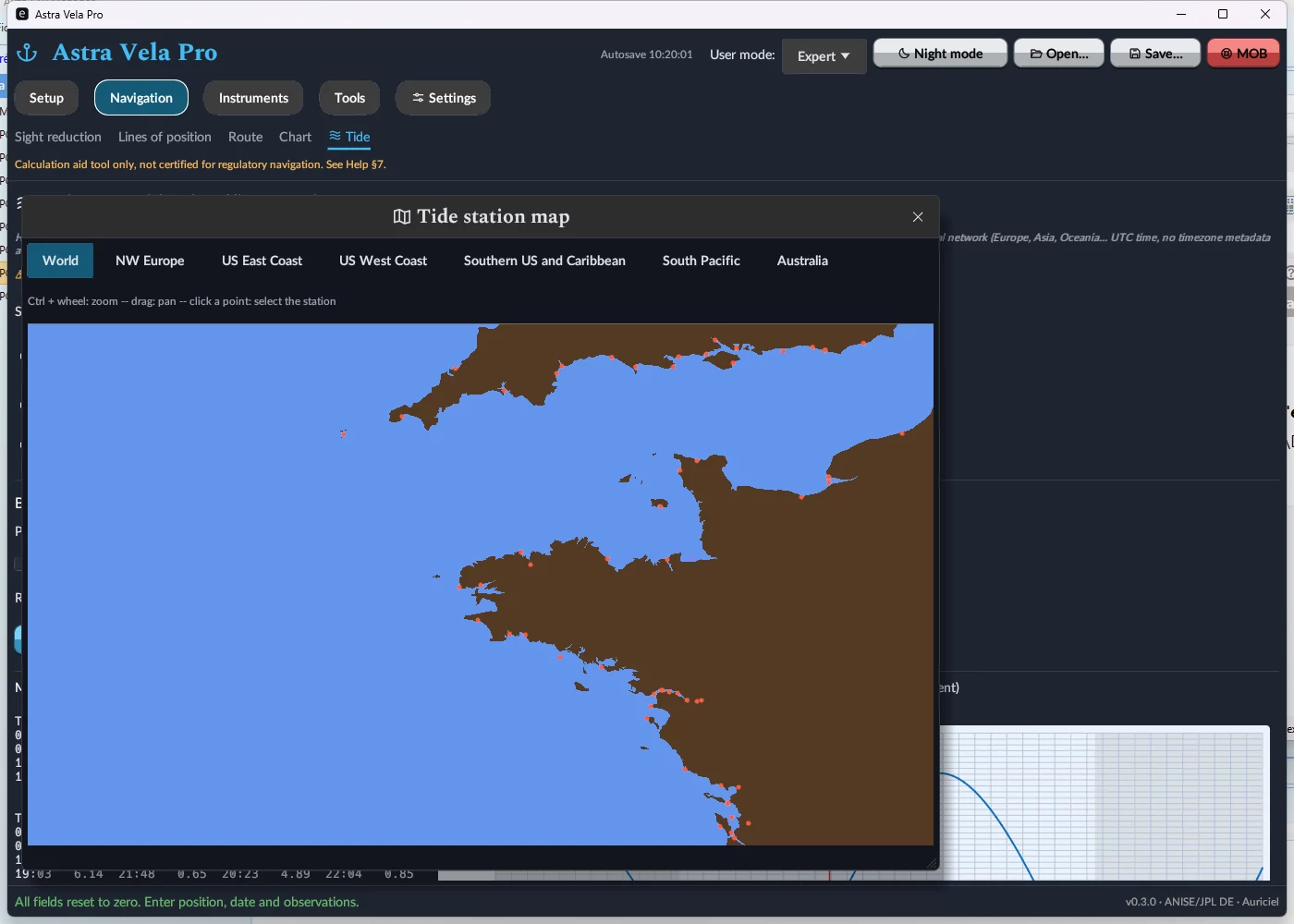
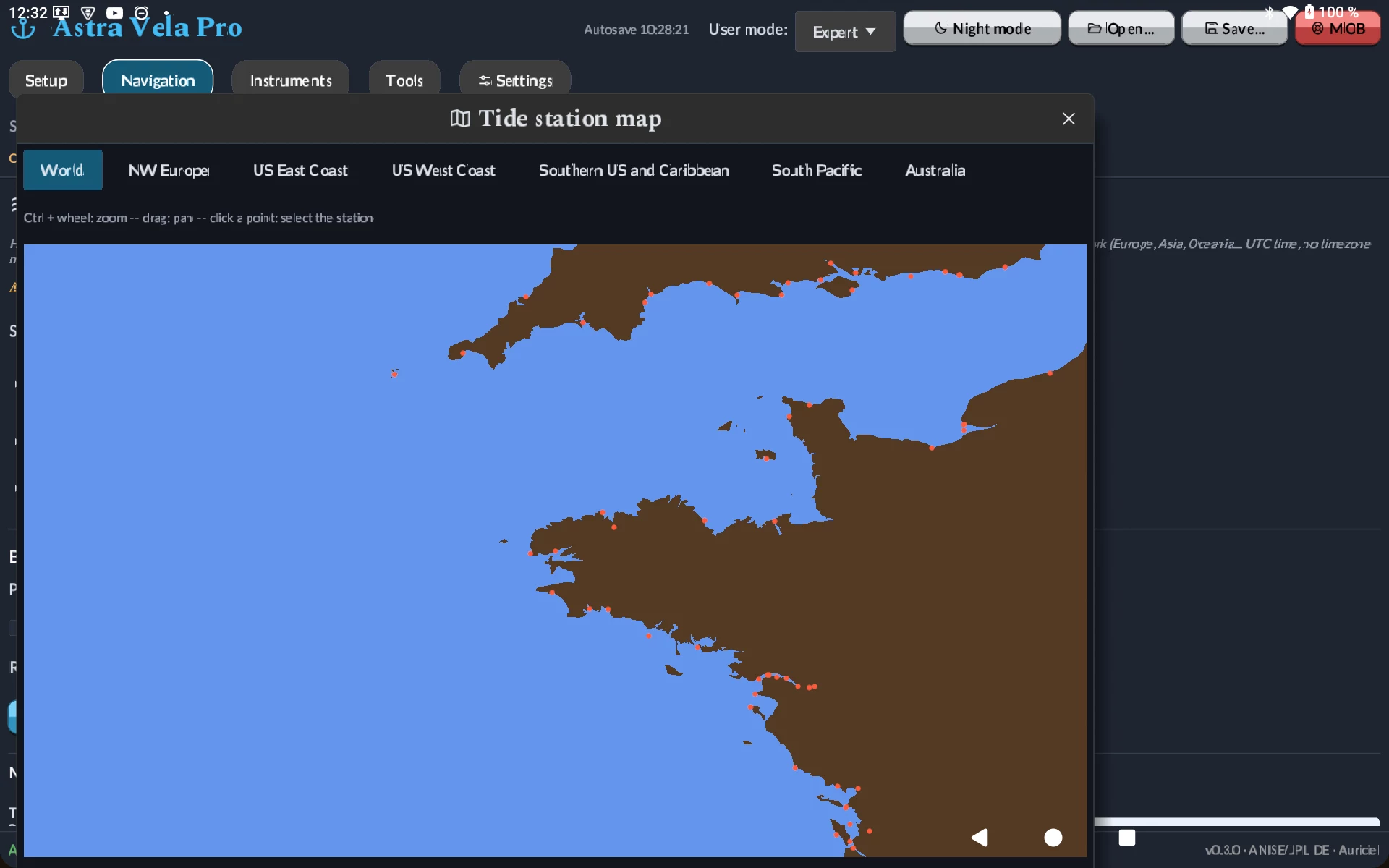
Harmonic calculation computed directly from constants embedded in the software — no connection required — for a catalog of 4,170 stations (source: TICON-4, DGFI-TUM/GESLA-4, CC BY 4.0 licence, via the Neaps database). Monthly table of high and low tides, tide curve for the day, secondary-port corrections, dedicated printing — plus an interactive map to spot a station visually instead of by name.
Astra Vela on tablet, same calculation engine
Both editions now run natively on Android tablets (7.0 or later), with the same interface, the same ephemerides and the same calculation engine as on PC — no calculation feature removed. Map zoom (Sky, Chart, tide station picker) uses a two-finger pinch gesture. On the Pro edition, network GPS reception (UDP, NMEA 2000, SignalK) remains available; only the serial connection, which makes no sense on a tablet, is absent.
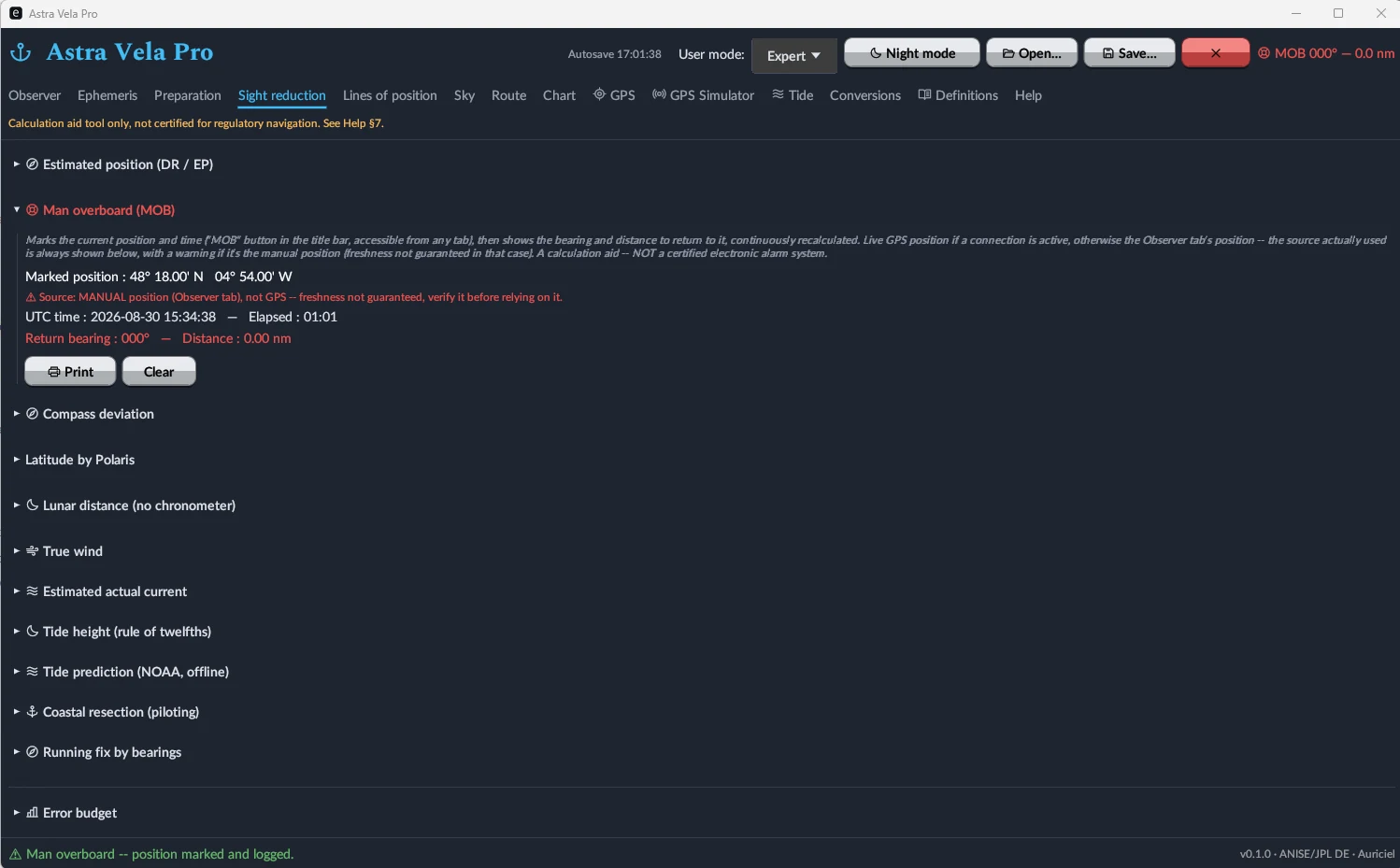
MOB, error budget, and a tamper-evident logbook
The MOB button (reachable from any tab) instantly marks position and time, then continuously displays the bearing and distance to return — from a live GPS fix when available, or from the entered position with a staleness warning otherwise. An error budget documents the expected precision of the fix, and every line of position is recorded in a logbook chained by SHA-256 hashing, guaranteeing it hasn't been altered after the fact.
An onboard calculator, a glossary, and a full manual
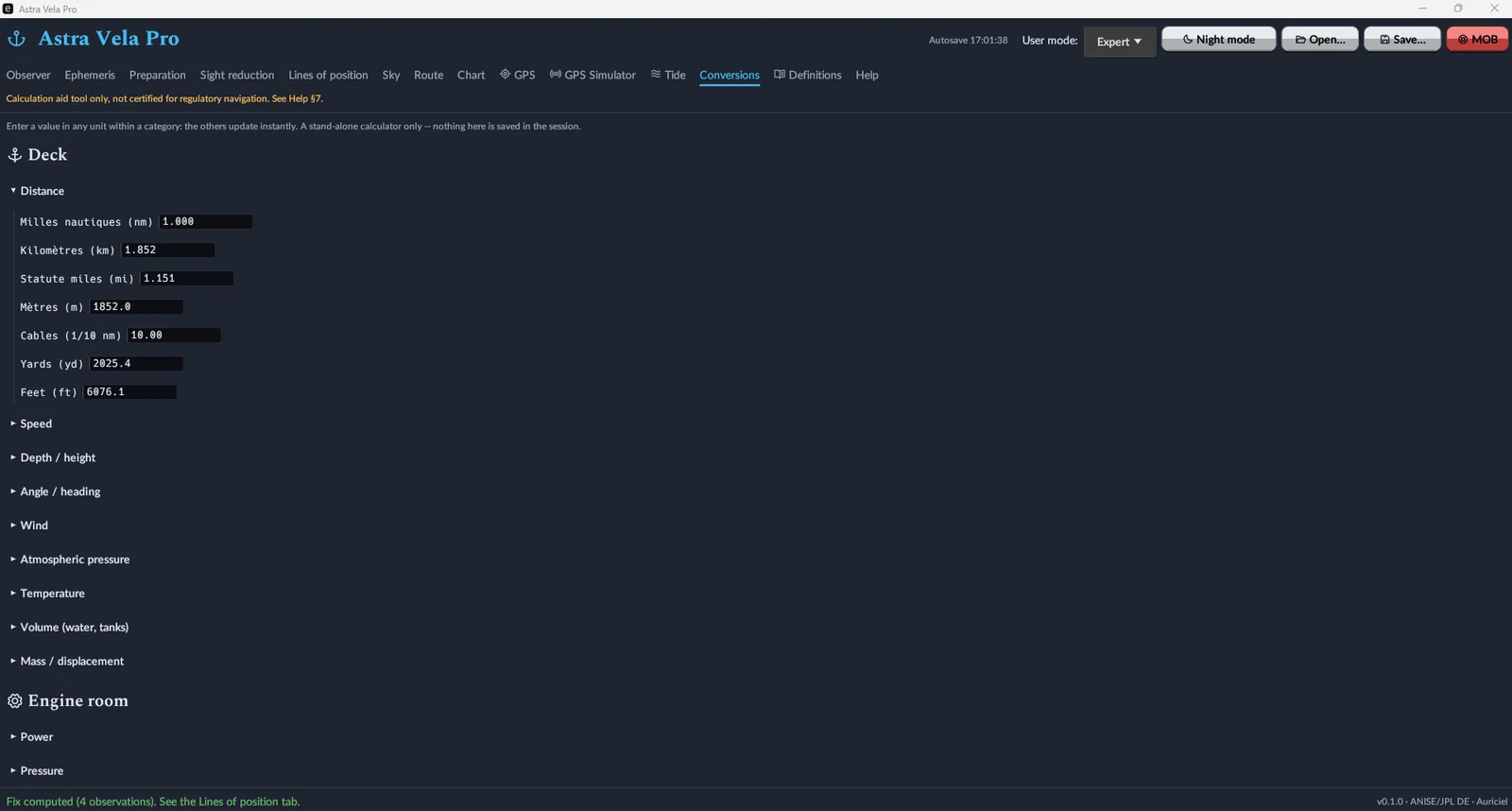
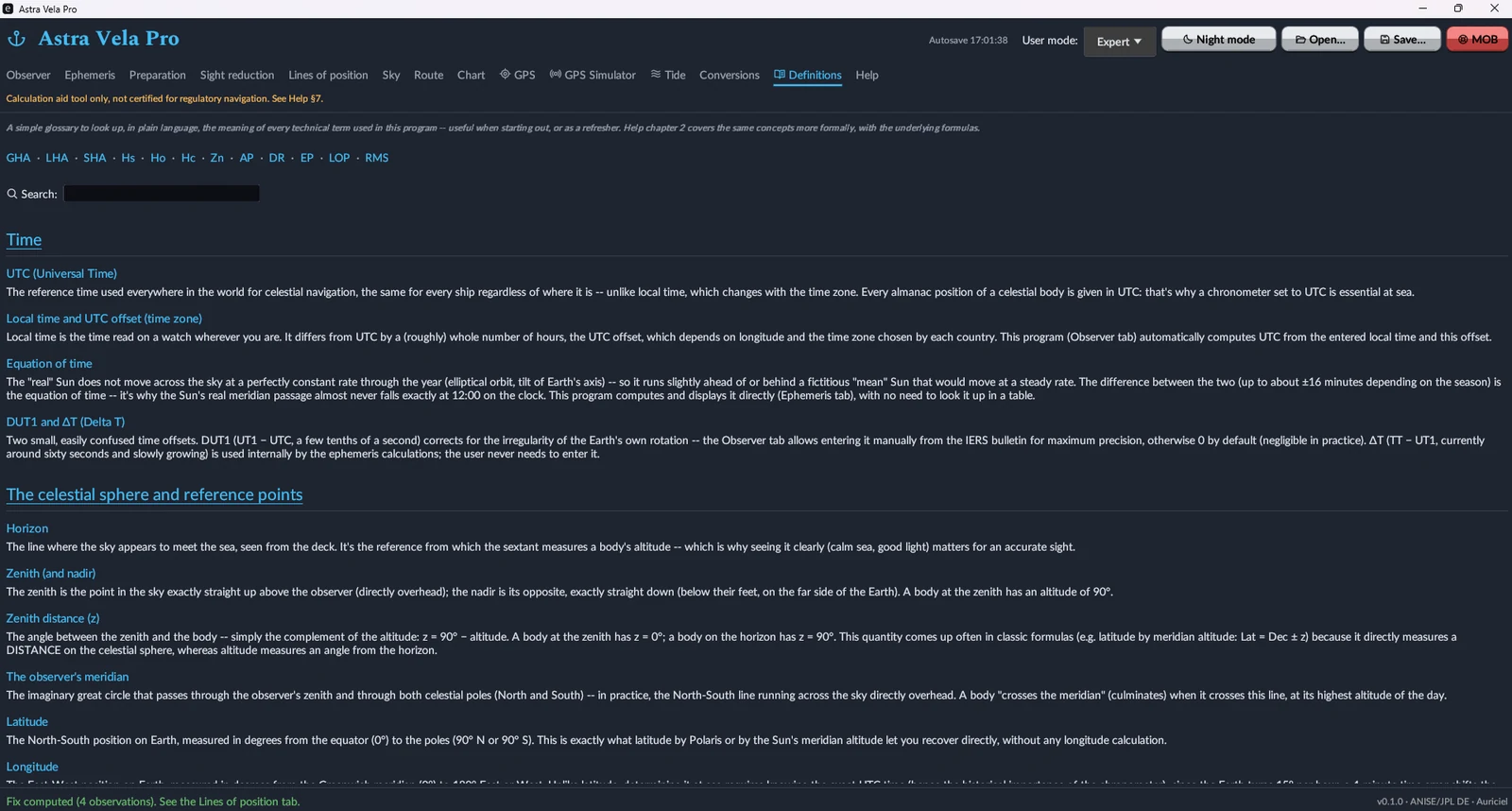
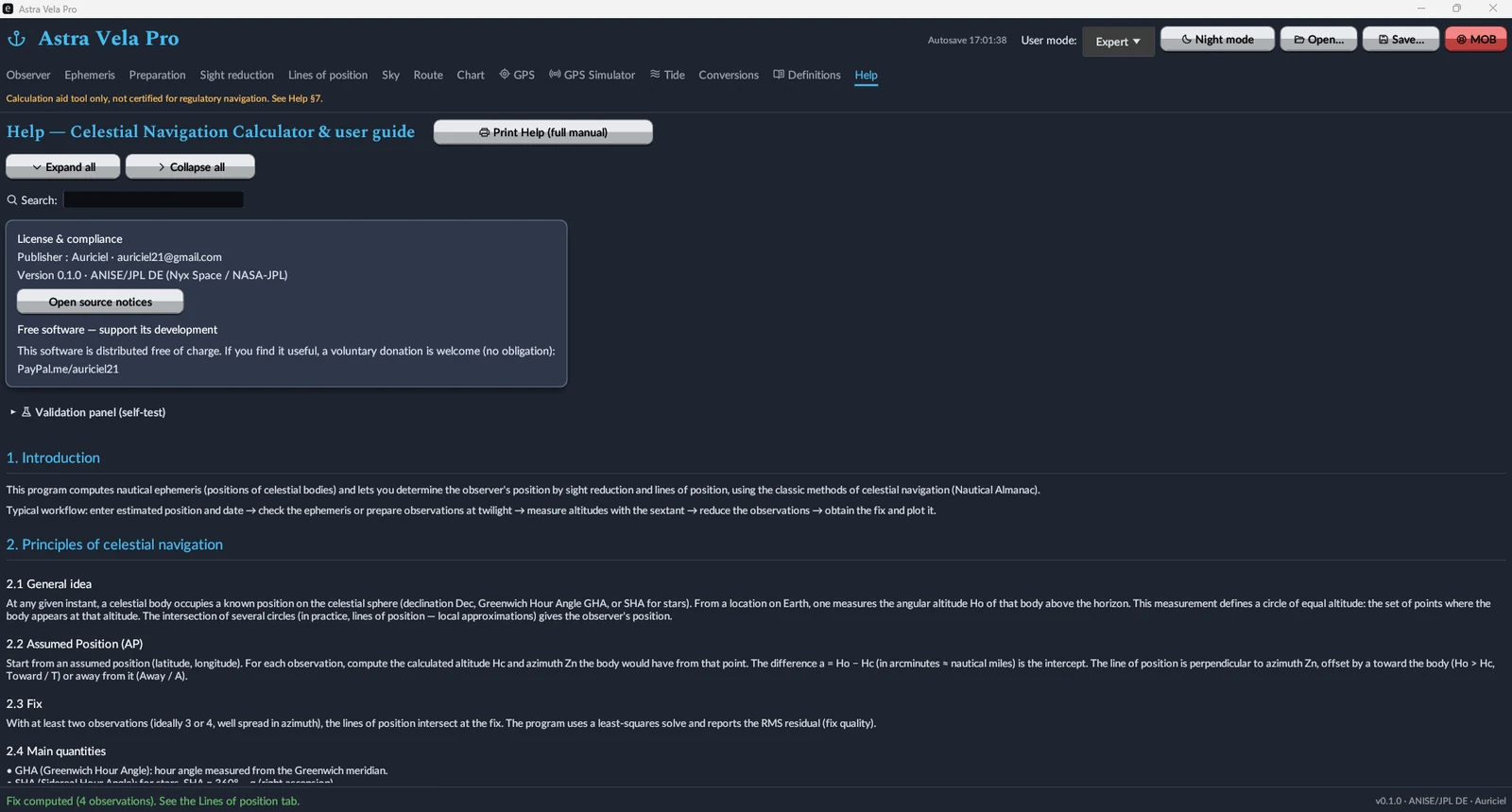
A deck-unit converter (distance, speed, depth, angle, wind, pressure, temperature, volume, mass) and an engine-unit converter (power), instant and nothing saved. The Definitions tab gathers celestial-navigation vocabulary, and the Help tab holds the full manual, printable, with a collapsible table of contents and keyword search.
A night mode built for the bridge
A full red theme preserves night vision during sextant observations, across every tab.
Standard or Pro — pick what you need
Both editions are free and downloadable without restriction. The difference lies in the features tied to onboard electronics and tides.
Standard Edition
- Sun / Moon / planet / star ephemerides
- Observed fix — sight reduction, Polaris, meridian passage, body identification
- Dead reckoning, route (rhumb-line / great-circle / composite)
- Lines of position + SHA-256 chained logbook
- Error budget
- Paper reduction worksheet + backup almanac
- Compass check (azimuth / amplitude)
- Conversions, Definitions, solar eclipse
- Printable manual, session autosave
Pro Edition
- Everything in the Standard edition
- GPS reception — serial, UDP NMEA 0183, NMEA 2000, SignalK/WebSocket
- Built-in GPS simulator (emits the same protocols)
- Worldwide offline tides — 4,170 stations, secondary-port corrections
- Plotting sheet (secant Mercator) + world map
- Man overboard (MOB) with staleness check
- Compass deviation — full table and curve
- WMM cross-check (magnetic variation)
- Enhanced visual theme (egui-phosphor icons)
Free, no account, no subscription
Astra Vela Pro is freely distributed. If the software is useful to you, a voluntary donation is welcome — but nothing is ever required.